What Android 15 and 16 changed for app cloners
Android 15 and 16 changed app cloners in two ways: rules tied to an app's target API level got stricter, and edge-to-edge drawing can no longer be switched off once an app targets Android 16. A copy runs inside the cloner, so it is the cloner's target level that counts, not the cloned app's. Duo Clone versions 0.1.19 to 0.1.24 fixed the visible results: system bars over older apps, stalled text fields, the Contacts spinner and camera saves.
This note walks through the platform changes that matter for any app cloner, then lists what changed in Duo Clone, version by version, using only what the changelog records.
Why does the target API level matter more in a cloner?
Many Android behaviour changes apply only to apps that target a given API level, and in a cloner the app that owns the process is the cloner itself. Google's behaviour-change pages split changes into two kinds: those that reach every app on a new Android version, and those that apply only once an app targets that version.
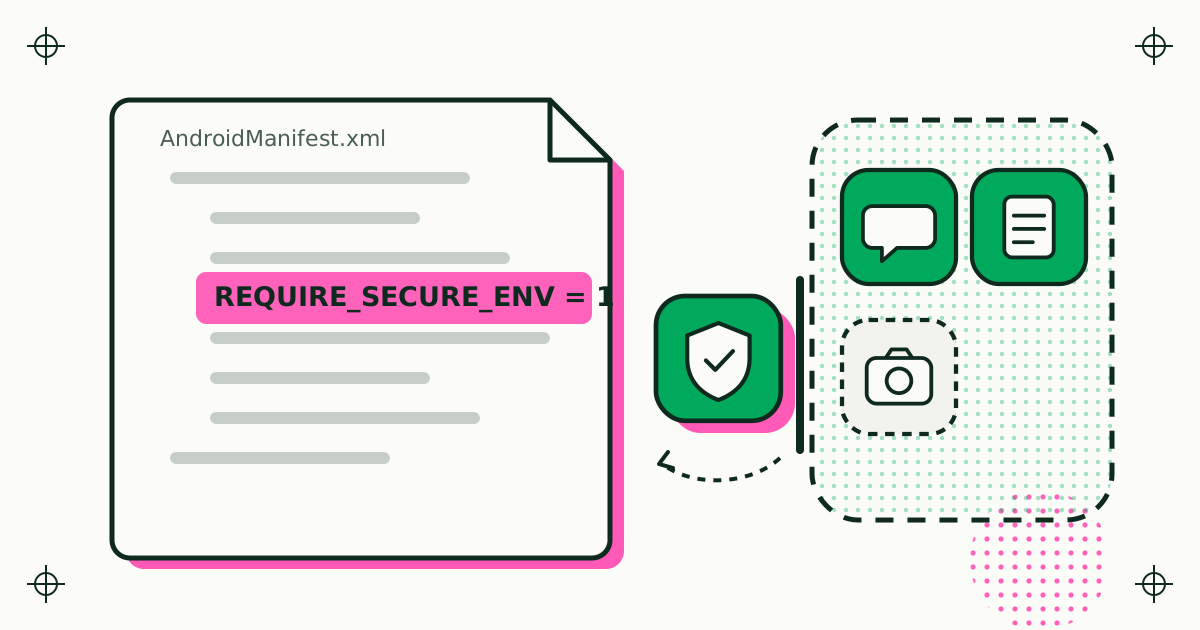
A normally installed app written years ago keeps its old behaviour until its developer raises the target. A copy of that same app runs inside Duo Clone, which targets a current API level. Rules written for modern apps can therefore reach an old app the moment it runs as a copy, and the cloner has to cover the gap. Edge-to-edge is the clearest example.
What did edge-to-edge enforcement change?
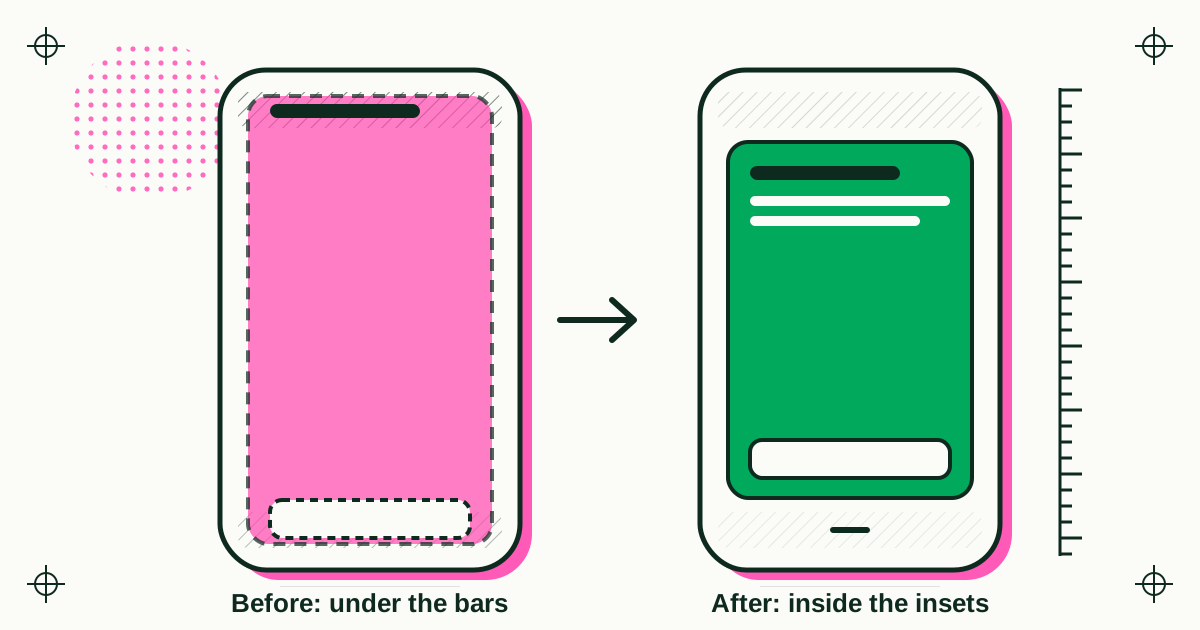
From Android 15, apps that target API level 35 are drawn edge to edge by default: their content extends behind the status bar and the navigation bar. Google's Android 15 page calls this a breaking change and warns that, if an app is not already edge to edge, portions of it may be obscured unless it handles window insets.
Android 16 removes the way out. For apps that target API level 36, the attribute windowOptOutEdgeToEdgeEnforcement is deprecated and disabled on Android 16 devices, so the app cannot opt out. On an Android 15 device the attribute still works for those apps.
For a cloner this lands in a predictable place. An app built before edge-to-edge never had to make room for the bars, but as a copy it ran under a host that is edge to edge. Duo Clone 0.1.19 fixed this: clones of older apps no longer draw under the status bar and the navigation bar on Android 15 and later. Version 0.1.20 applied the same care to Duo Clone's own overlays, so the clone badge and the quick-switch bubble no longer sit under the system bars.
What changed for the back gesture?
For apps that target Android 16 and run on Android 16 or later, the predictive back animations are on by default, onBackPressed is not called and KEYCODE_BACK is no longer dispatched. These are the back-to-home, cross-task and cross-activity animations. Apps that intercept the back event without migrating have to move to the supported back navigation APIs, or opt out for now with android:enableOnBackInvokedCallback="false".
This is a platform change worth knowing about for any app that hosts other apps. It shares the edge-to-edge pattern: the behaviour is chosen by target level, and an older app can meet it through its host.
What changed on large screens?
For apps that target Android 16, the system ignores orientation, resizability and aspect-ratio restrictions on large screens, those with a smallest width of at least 600dp. An app locked to portrait fills the window in the user's preferred orientation instead of being letterboxed. Google lists the affected manifest attributes and API calls, such as screenOrientation and setRequestedOrientation(), and exempts games, identified by the android:appCategory flag.
On a phone this rarely shows. On a tablet or a foldable it is one more case where a copy can look different from the original install, for the same target-level reason.
What did Duo Clone fix on the newest Android versions?
Between 19 and 20 November 2026, versions 0.1.19 to 0.1.24 fixed these copy problems on the newest Android versions:
| Version | Android | What changed in copies |
|---|---|---|
| 0.1.19 | 15 and later | Clones of older apps no longer draw under the status bar and the navigation bar. |
| 0.1.20 | 15 and 16 | Typing is smoother: text fields no longer stall for a few seconds when tapped, and the keyboard works with them. |
| 0.1.20 | 16 | The Contacts app in a clone no longer stays on a loading spinner. |
| 0.1.20 | All | The clone badge and the quick-switch bubble no longer sit under the system bars. |
| 0.1.23 | 16 | Fixed a freeze the first time a clone that uses Google sign-in opened. |
| 0.1.23 | 16 and 17 | Camera clones can save photos. |
| 0.1.23 | 16 and 17 | The missing-permission notice comes back as a dialog with the clone's name when you return to Duo Clone. |
Several of these share one root: on recent versions, system services look more closely at which installed app a request comes from. In a copy, the app on screen and the app Android sees are not the same, so each such check is a place where the cloner has to keep the copy working without pretending to be something it is not.
Do the older Android versions still matter?
Yes. Duo Clone runs copies on Android 6 through 16, and the oldest versions need their own fixes. In the same releases, 0.1.21 fixed connection errors on Android 6 and 7.0, and made camera clones on Android 9 and older save a photo and stay open instead of closing about ten seconds later.
That range is the practical cost of a cloner: every new Android version adds target-level rules to cover, and the old versions do not go away. For a plain-language view of the same range, read the Duo Clone overview for every Android version from 6 to 16.
What should app developers take from this?
If your app is used in copies, test it the way it will run there: under a host that targets the current API level. In practice, three checks catch most of the issues above:
- Handle window insets even if you target an older API level, so your layout survives edge-to-edge.
- Move back handling to
OnBackPressedDispatcherorOnBackInvokedCallbackrather than overridingonBackPressed. - Let your layouts resize on large screens instead of relying on a fixed orientation.
All three are what Google already asks of apps that target Android 16, so they are worth doing whether or not anyone ever clones your app.
Sources
- Android Developers, Behavior changes: apps targeting Android 15 or higher (page last updated 28 October 2026, read 20 November 2026).
- Android Developers, Behavior changes: apps targeting Android 16 or higher (page last updated 28 October 2026, read 20 November 2026).
- Duo Clone behaviour: changelog, versions 0.1.19 to 0.1.24.