How app copies stay separate, and where the limits are
App copies made by a cloner such as Duo Clone stay separate because the cloner keeps each copy's data and sign-ins in its own space; Android's kernel does not. Every copy runs under the cloner's single Android user ID, so the separation is real for everyday use but is not a security sandbox. Clone profiles and Android 15's private space are separate users instead, with stronger isolation and narrower availability.
This note explains the difference from the developer's side: how Android isolates apps, what changes when an app runs as a copy, how Duo Clone keeps copies apart, and where that stops.
How does Android keep apps apart?
Android gives every installed app its own Linux user ID (UID) and runs it in its own process, and the kernel uses that UID to keep apps out of each other's data. The Android Open Source Project describes this as the Application Sandbox: if app A tries to read app B's data, the kernel stops it because A lacks the user privileges to do so. Because the sandbox lives in the kernel, it covers native code exactly as it covers Java or Kotlin code.
Two consequences matter here. Each normally installed app has a private data directory that only its UID can open. And when an app asks for a permission, Android grants it to that UID, not to some smaller part of the app.
What changes when an app runs as a copy?
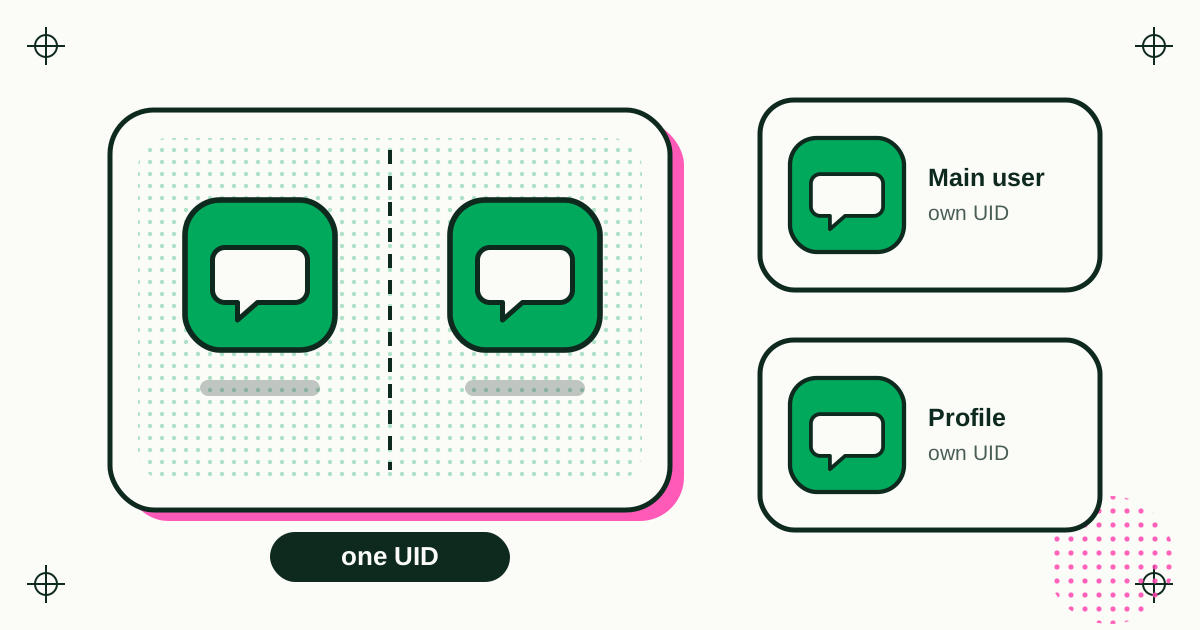
A copy runs inside the cloner's own app space, so to Android it is the cloner, with the cloner's UID, permissions and storage. Duo Clone uses the app that is already installed on your phone rather than installing a second package. Android sees one app, Duo Clone, doing the work for every copy.
You can see this from the outside. When a copy needs camera or location access, the permission dialog is for Duo Clone, because Duo Clone is the app Android knows. When a copy asks for a permission Duo Clone cannot grant, recent versions show one short notice instead of failing silently (changelog, versions 0.1.19 and 0.1.23). Anything a copy saves lands in Duo Clone's storage area.
Security researchers who study cloners describe the same model: the cloned app is effectively running as the cloner, which is why you must trust the cloner with everything the copies hold.
How does Duo Clone keep copies apart?
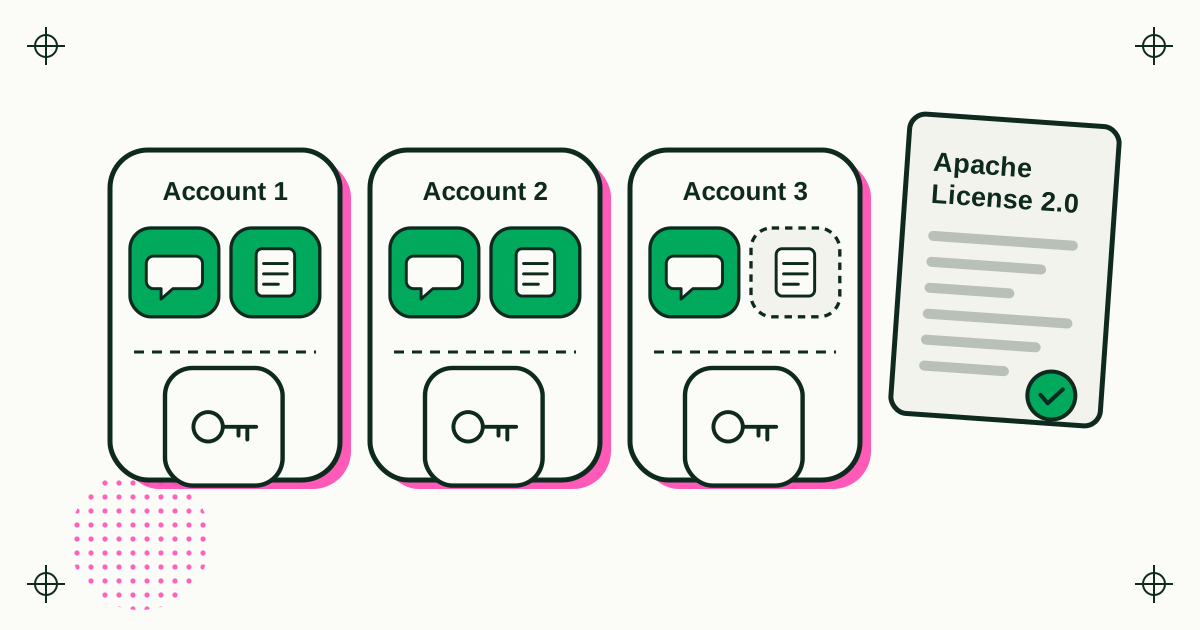
Duo Clone gives every copy its own data and groups copies into Accounts, each a separate space with its own Google sign-in. These rules apply to the app as you use it:
- Each copy has its own data. What a copy stores stays with that copy, and deleting the copy erases it. The original app is not touched.
- Accounts are separate spaces. Apps in the same Account share one Google sign-in; a copy in Account 2 signs in apart from Account 1.
- One copy of an app per Account. To run the same app twice, the second copy goes in another Account, which is what keeps the two logins apart.
This is enough for what most people use copies for: a work and a personal chat account, or several seller accounts, each staying signed in without mixing messages, settings or caches.
Where does that separation stop?
It stops at the UID. Because every copy runs under the same Android user ID as Duo Clone, the kernel does not stand between one copy and another. The separation is applied by Duo Clone in software and is aimed at apps that behave normally. An app written to look for its neighbours runs with the same Android privileges as every other copy, so it is not held back the way a separate Android user would hold it back.
That leads to three plain rules:
- Use copies for separate logins, not to isolate an app you do not trust. Do not put an unknown app in the same cloner as copies that hold private chats.
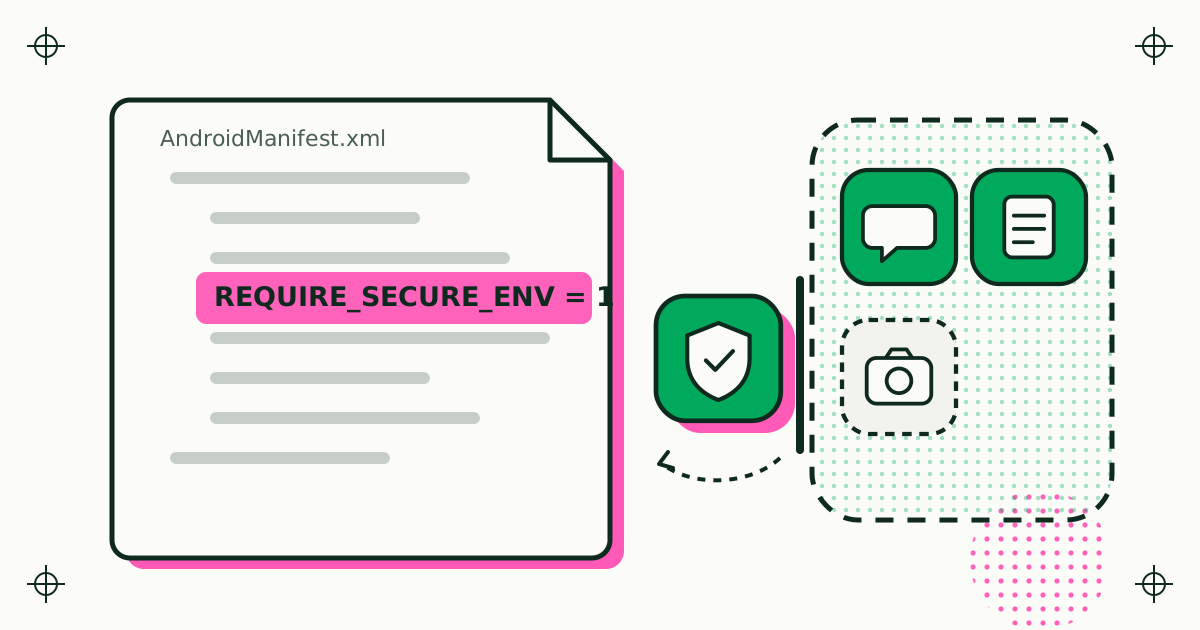
- Keep money and identity apps out of copies. This is why apps that declare REQUIRE_SECURE_ENV are refused, with no way around it.
- Private Space hides copies from people, not from apps. Its fingerprint or PIN lock keeps copies out of sight from someone holding your phone. It does not protect against harmful apps.
The same limits, written for people choosing a cloner rather than building one, are on the Duo Clone website in what to check before trusting a cloner with your logins.
How do clone profiles and private space differ?
A clone profile and Android 15's private space are separate Android users, so the kernel keeps their apps apart; a copy in a cloner is not. The AOSP multi-user documentation defines both:
- Clone profile: a separate user type that lets a phone run two instances of one app. AOSP does not provide the feature end to end; phone makers add their own customisations to deliver it, which is why it looks and behaves differently from brand to brand.
- Private profile: a sandboxed space for the main user that can be locked separately. In Android 15's private space, apps are installed as new copies inside it, accounts and files are kept apart from the main space, and locking it stops the profile so its apps cannot run at all.
| Normal install | Copy in Duo Clone | Clone profile | Private space | |
|---|---|---|---|---|
| Android user ID | Its own | Shared with Duo Clone | Its own, in another user | Its own, in another user |
| Who keeps apps apart | Kernel | Duo Clone | Kernel | Kernel |
| Copies of one app | One | Several, one per Account | Two | One extra |
| Availability | Every phone | Android 6 to 16 | Depends on the phone maker | Android 15 and later, where shipped |
Built-in options are the stronger boundary when your phone has them. A cloner covers phones and Android versions that do not, and more than one extra account. For one phone maker's version of this choice, see how a separate space compares with a cloned app on Xiaomi.
What does this mean for app developers?
Assume a copy of your app can sit next to other copies under one UID, and design what you store with that in mind. Keep secrets on your server or in hardware-backed keys tied to a server check, not only in local files. If your app should never run in that setting, declare REQUIRE_SECURE_ENV. Cloners on Google Play have to honour it, and checks such as the Play Integrity API cover the rest.
Sources
- Android Open Source Project, Application Sandbox (page last updated 30 September 2026, read 20 November 2026).
- Android Open Source Project, Support multiple users (page last updated 22 September 2026, read 20 November 2026).
- Android Developers, Android 15 features and APIs, private space section (read 20 November 2026).
- Approov, Cloner Apps: Playing in a Shared Sandbox (read 20 November 2026).
- Duo Clone behaviour: changelog and the app's Account rules.